A receipt
For expenses or a split bill, then gone.
SnapShare
Snap a photo and it's copied and ready to send. Nothing lands in your camera roll, so you save storage too.
Free on iPhone · SnapShare Pro is a one-time purchase




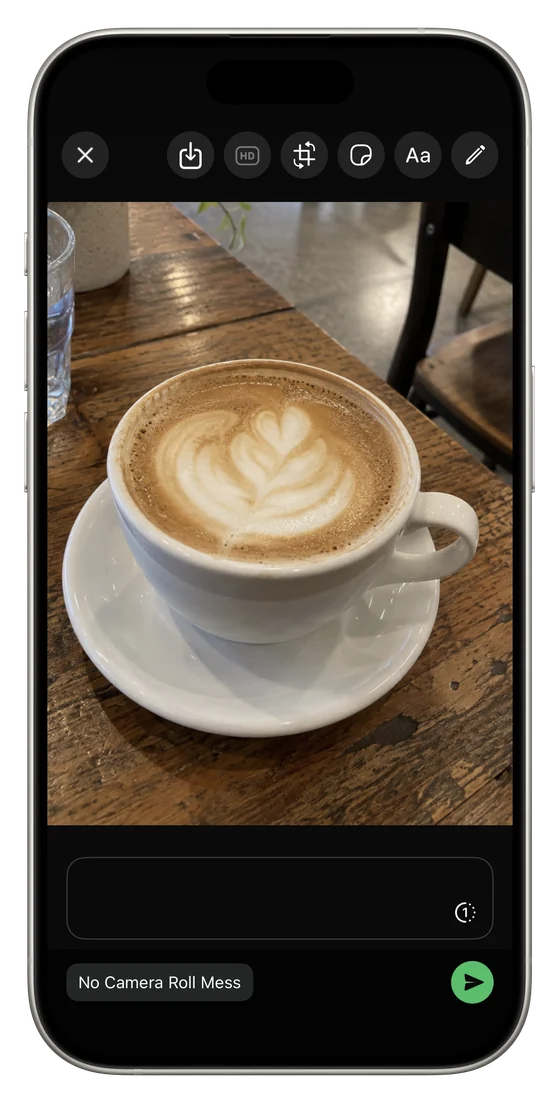
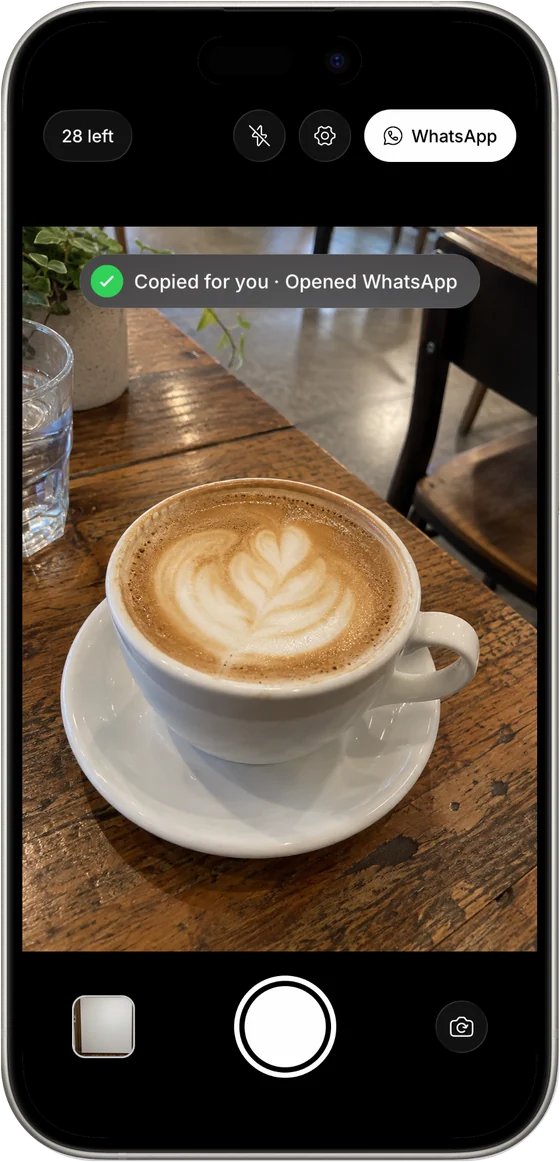
Most photos are only taken to send: a receipt, a parking spot, a price tag, a whiteboard. Then they sit in your camera roll for years, taking up storage.
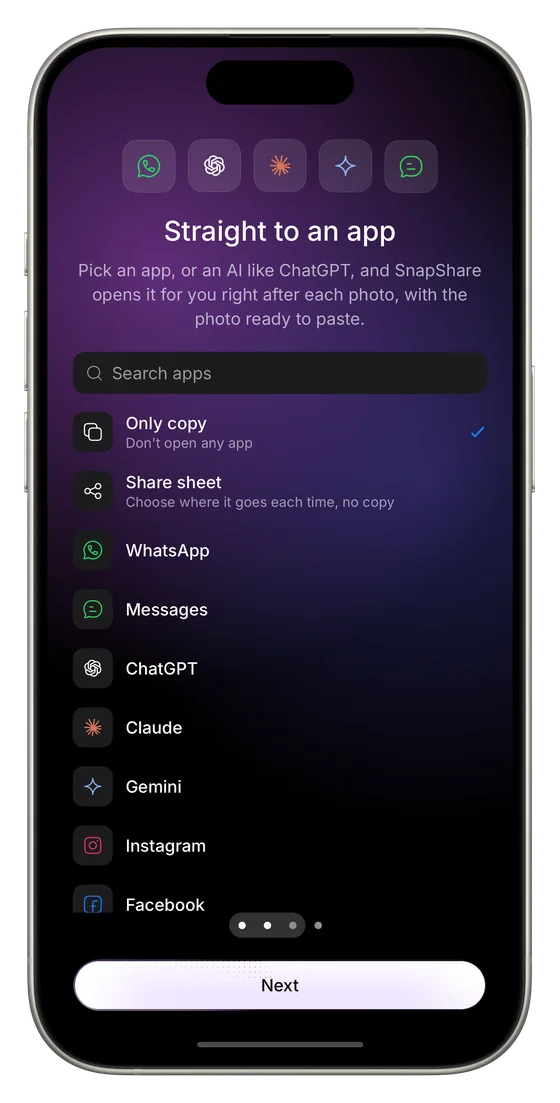
SnapShare copies the photo and opens the app you picked (chat, email, notes or an AI assistant), so all you do is paste.
Or turn on Share and the share sheet opens after every photo.
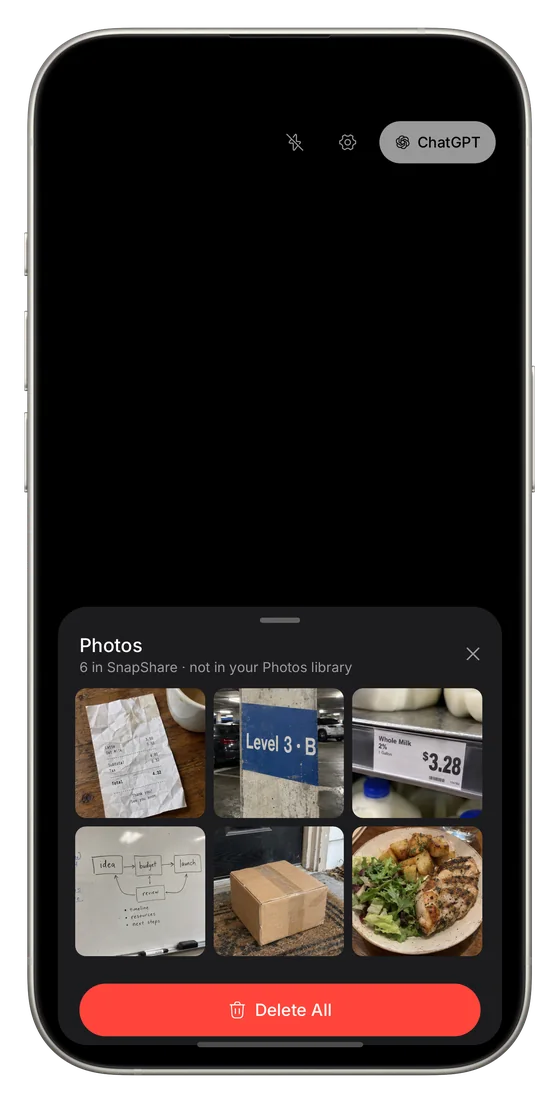
Photos stay in SnapShare, not your Photos library. Snap, send, done.
Turn off Save photos in the app and it keeps nothing at all.
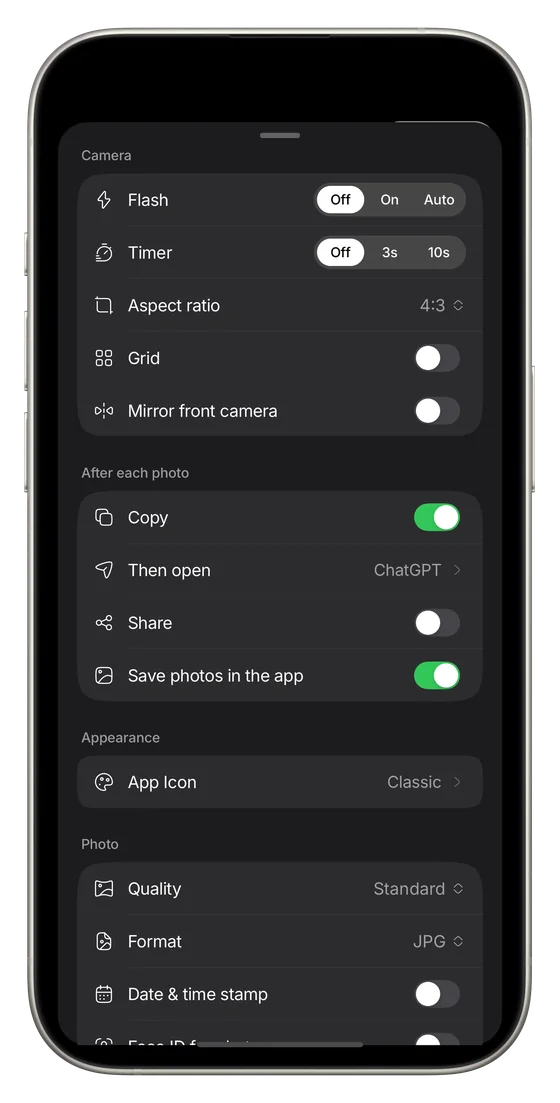
Everything you reach for in the Camera app, in the camera that sends.
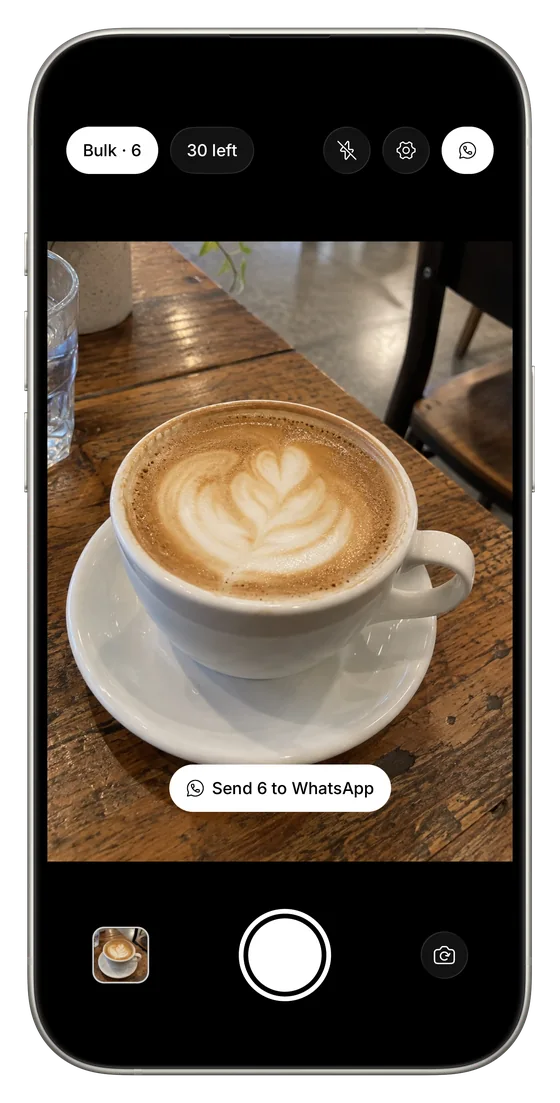
Turn on Bulk and take as many photos as you need, then send them all in one go, like Send 6 to WhatsApp.
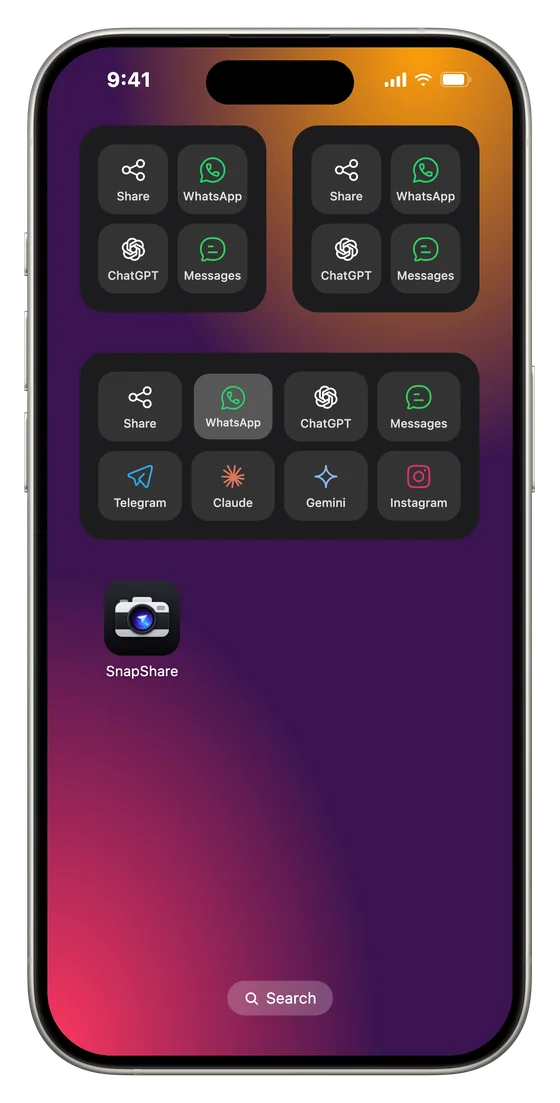
Add the SnapShare widget and pick its apps. Tap a button and SnapShare takes a photo and sends it to that app.
The small widget shows your first 4 apps, the medium 8 and the large 16.
Receipts, parking spots and price tags stay out of your library. Turn off Save photos in the app and SnapShare keeps nothing either.
Made for
For expenses or a split bill, then gone.
Send it to whoever's meeting you there.
"This one or the other?" in one tap.
Straight into the team chat after the meeting.
Snap it and paste it into your AI assistant.
Scanning is built in, and always free.
Pricing
Everything you need to snap and send.
One purchase, yours forever. No subscription, and every future Pro feature is included.
Free on iPhone. Nothing lands in your camera roll.
Download on theApp Store
Point your iPhone camera here to open SnapShare in the App Store.

I design and build apps and web apps from the first idea to launch.